
Shopify is a good platform for small shops. It’s easy to use, it looks after the hosting and security, and it gets a fair bit of the SEO basics right on its own. That’s the good news. The less good news is that plenty of shop owners assume it does everything, and it doesn’t. The settings that matter most are left for you to fill in, and a few habits can quietly slow your shop down. Here’s what I’d check on any Shopify store. With Black Friday nearly here and every shop owner I know running round like mad, it’s well worth a look before the rush.
Is Shopify good for SEO?
Yes, for most small shops it’s perfectly good. It creates a sitemap for Google automatically, the themes generally work on phones and the hosting is quick. You don’t have to worry about plugins breaking or the server going down.
It does have a few quirks. The web addresses follow a fixed pattern, with /products/ and /collections/ in them, and you can’t change that. Some themes and apps add a lot of extra code. And the SEO fields are tucked away at the bottom of each page in the admin, so they’re easy to ignore. None of this stops a Shopify shop ranking well. It just means you have to do the bits it leaves to you.
How do you edit SEO titles and descriptions in Shopify?
At the bottom of every product, collection and page in the Shopify admin, there’s a section called “Search engine listing”. Click edit and you can set the title and description Google shows. Shopify’s own SEO help pages show where each setting lives. If you leave it blank, Shopify fills it in with the product name and the first bit of your description. That’s often fine for a few products, but not for the ones that matter most.
Write these for people. Say what the product or range is, who it’s for and something that makes it stand out, like handmade, UK delivery or a size range. You want someone scrolling Google to pick your result over the others. I go into this more in how to get more clicks from Google. While you’re there, add descriptions to your product images too. Google reads them, and they help people using screen readers.
How should you set up Shopify collections and products?
Treat collections as your most important pages. They match the way people search, like “oak chopping boards” or “personalised dog collars”. Give each one a clear name that matches what people type, and add a short, useful introduction. Most Shopify themes let you show the collection description above the products. Use it.
For products, write your own descriptions rather than pasting the supplier’s. Explain what it’s like, who it suits and answer the questions people ask you. Shopify handles the issue of products appearing in more than one collection reasonably well on its own. But keep your internal links pointing to the main product address where you can. If you’d rather hand it over, my Shopify SEO service covers product and collection pages for you.
Do Shopify apps slow down your shop?
They can, and this is the most common problem I see. Every app that adds something to your shop’s pages adds code that has to load. Reviews, pop-ups, chat, upsells, currency converters, countdown timers. One or two is fine. A dozen, and your shop crawls on a phone, yikes….
Go through your apps and ask whether each one earns its place. Remove the ones you don’t use, and check your theme afterwards, because some apps leave code behind when you delete them. Keep product images a sensible size too. A slow shop loses sales before anyone sees a price. I explain why in why a slow mobile site costs you customers.
What should you do with old products on Shopify?
If a product is coming back, leave the page up and mark it out of stock. If it’s gone for good, set up a redirect to the closest product or its collection. Shopify has a URL redirects section in the admin for this. It takes a minute and saves people landing on a dead page.
The same goes if you change a product’s web address. Shopify offers to create a redirect for you when you do. Leave that box ticked. And if you’re moving to Shopify from another platform, map your old addresses to the new ones before you switch. Losing that is one of the quickest ways to lose rankings. My website redesign SEO checklist walks through it.
Is the Shopify blog worth using?
It can be, if you write about what your customers are actually trying to work out. How to care for an oak chopping board. Which dog collar size to pick. What to look for in a walking boot. Posts like that bring in people who aren’t ready to buy yet, and you can link them to the right products.
What I wouldn’t do is post for the sake of it. Shop news nobody searches for won’t help. A handful of useful guides will do more than fifty thin ones. I explain the thinking behind this in why content matters for SEO.
How do you know if your Shopify SEO is working?
Connect your shop to Google Search Console. It shows which searches you’re appearing for, which pages get clicked and any problems Google finds. Shopify’s own reports show where sales came from, so between the two you can see whether visits from Google are turning into orders.
For shops I work with, all of that sits in a live reporting portal you can log into any time. You can see which collections and products are being found and which ones need work. If you’re not sure where to start, an SEO audit of the shop is usually the quickest way to find the gaps.
Run a Shopify shop?
Send me your shop’s address. I’ll check your search listings, collections, apps and speed, and tell you the three things I’d fix first.
If you want me to crack on, it’s £125 a week, about £18 a day, on a 30 day rolling basis.
Questions people ask me
Is Shopify good for SEO?
Yes. It covers a lot of the basics, but you still need to fill in the SEO settings and write good content.
Where do I change my SEO title in Shopify?
At the bottom of each product, collection or page, under “Search engine listing”.
Can I change Shopify’s URL structure?
No. The /products/ and /collections/ parts are fixed. It doesn’t stop you ranking.
Do Shopify apps hurt SEO?
Too many can slow your shop down. Keep only the ones you really use.
What do I do with discontinued products?
Redirect them to the closest product or collection using Shopify’s URL redirects.
Do I need an SEO app for Shopify?
Not usually. Most of what matters can be done in Shopify’s own settings.
Is the Shopify blog any good?
It’s fine. What matters is writing helpful guides your customers are searching for.
Do you work on Shopify shops?
Send me the link. Most of the SEO work is the same on any platform, and I’ll tell you honestly if I can help.
Keep reading
For the bigger picture beyond Shopify, read ecommerce SEO for small online shops. If you’re thinking about ads for your products, the benefits of PPC explains when they pay off. And to pick the right searches for your collections, start with how to choose the right SEO keywords.
Related posts


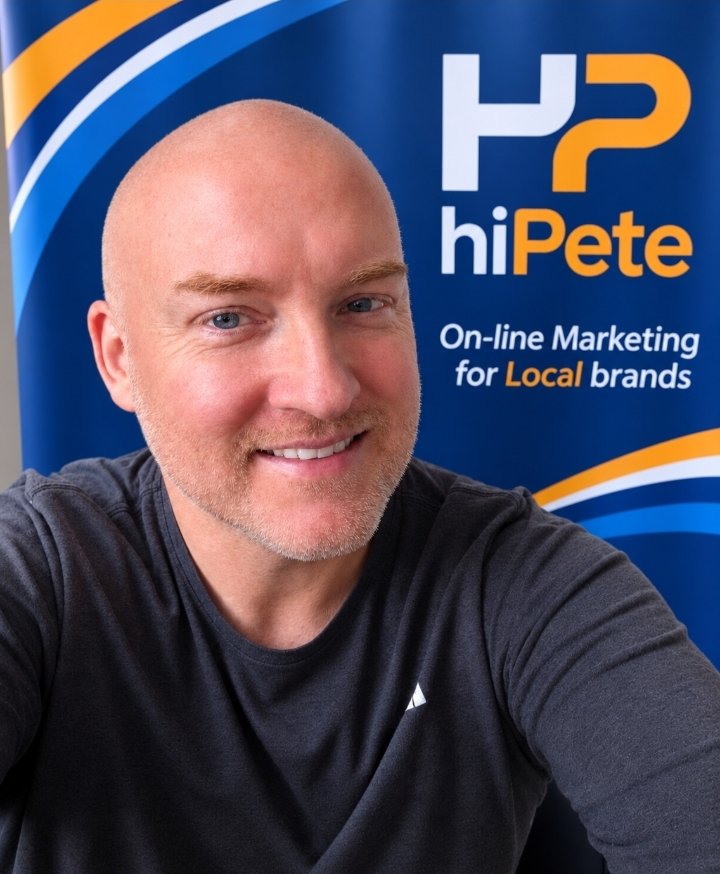 Hi, I’m Pete
Want your Shopify shop found?
Send me the link. I’ll tell you what’s holding it back on Google and what I’d sort first.
Call 0151 402 0925SEO campaigns